

How to Create a Bakersfield E-Commerce Website
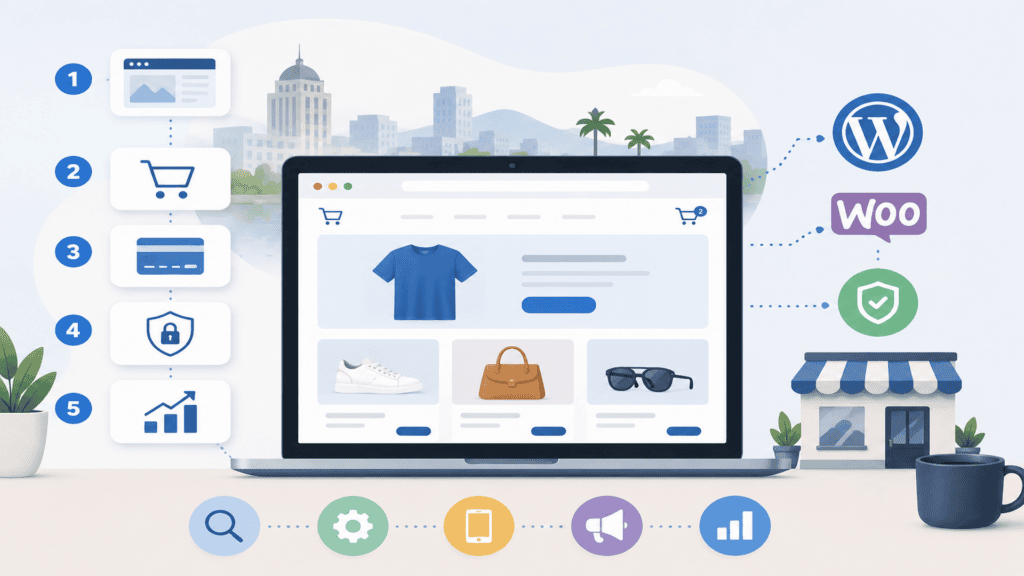
How to Create an E-Commerce Website for a Bakersfield Business That Converts
A slow, confusing online store can cost a Bakersfield business sales every day. Customers leave when products are hard to find, checkout feels unsafe, or pages take too long to load on a phone.
An e-commerce website is a secure online storefront that lets customers browse products, place orders, pay online, and choose delivery or pickup. For a Bakersfield business, the store should also support local search, regional fulfillment, mobile shoppers, and clear policies.
This guide explains how to create an e-commerce website for a Bakersfield business from the ground up. You will learn how to choose the right platform, organize products, build trust, improve local SEO, protect performance, and measure results.
1. Define the Business Goal Before Building the Store
The first problem is usually not the website. It is an unclear business goal. A store built without a specific objective often becomes expensive, difficult to manage, and disconnected from how customers actually buy.
Start by deciding what the website must accomplish. Do you need online sales, local pickup orders, quote requests, subscriptions, appointment bookings, or a combination of these options?
A Bakersfield bakery may need custom cake inquiries and scheduled pickup. A retailer may need shipping across California, while a service business may sell digital products or prepaid packages.
Choose one primary conversion. Usually, that means completing a purchase. Secondary actions can include joining an email list, requesting a quote, or calling the business about a custom order.
Next, define the customers you want to attract. Consider their location, budget, buying urgency, device preference, and common concerns. That information shapes your product pages, navigation, offers, and checkout flow.
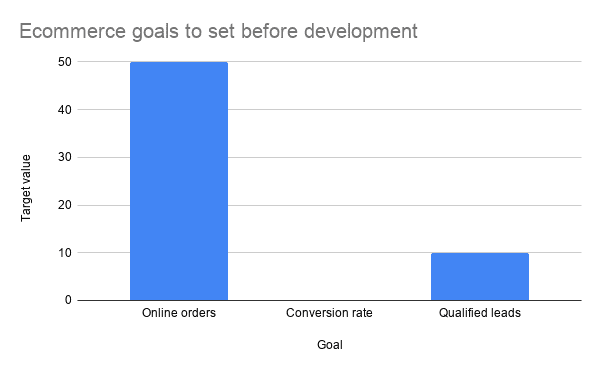
Set measurable targets before development begins. Examples include 50 online orders per month, a 2% purchase conversion rate, or a 20% increase in local organic traffic within six months.
Keep the first version focused. Launch the products, payment methods, delivery rules, and content customers need now, then add advanced features after real buying behavior shows what deserves investment.
2. Choose the Right E-Commerce Platform and Site Structure
The wrong platform creates problems long after launch. Business owners may struggle with product updates, payment integrations, speed issues, or expensive changes that a better setup could have prevented.
WordPress with WooCommerce works well for many small and local businesses because it combines content publishing with online selling. It supports physical products, variable products, coupons, subscriptions, shipping rules, and many payment gateways.
That flexibility only helps when the website receives careful planning. A custom WordPress build can connect the store to accounting tools, email marketing, inventory systems, shipping providers, and customer relationship software.
Organize the website around how customers shop. Use clear categories, useful filters, search, product comparison where appropriate, and a simple path from the homepage to checkout.
A practical structure may include Home, Shop, Product Categories, About, Delivery or Pickup, FAQs, Contact, and policies. Custom orders should have their own page instead of forcing shoppers to explain everything inside a generic contact form.
Technology also affects operating costs. Custom WordPress development can solve functionality problems early, especially when the store needs local delivery zones, product personalization, or automated order workflows.
Choose hosting that can handle product images, traffic spikes, backups, and secure transactions. Cheap hosting often becomes expensive when slow response times reduce sales and require emergency fixes.
3. Build Product Pages and Checkout Around Customer Decisions
Weak product pages create hesitation. Customers cannot touch an online product, so the page must answer their questions before they consider contacting the business or abandoning the cart.
Every product page should show a clear name, price, availability, high-quality images, useful specifications, and a visible purchase button. Place important information near the top because mobile users may not scroll through long pages.
Product descriptions should explain outcomes, not just features. Tell shoppers who the product suits, how they use it, what it includes, and when they can receive it.
Use multiple images when appearance matters. Show scale, packaging, colors, details, and the product in use. Compress each image before upload, because large files can slow down the entire store.
Custom products need a clear ordering process. Add fields for size, flavor, color, personalization, pickup date, or delivery instructions, but only request information that the business truly needs.
Checkout should feel predictable. Show the order summary, available payment methods, shipping or pickup cost, estimated timing, and return information before the customer submits payment.
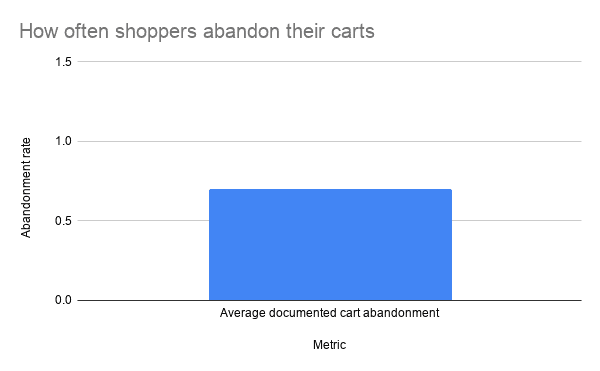
Baymard Institute research places average documented cart abandonment at about 70.19% across tracked studies. A clear checkout experience cannot prevent every abandonment, but it can reduce avoidable confusion around cost, trust, and account creation.
Offer guest checkout when possible. Requiring an account before payment adds friction, while optional account creation can still support repeat purchases after the first successful order.
4. Use Local SEO to Reach Buyers in Bakersfield
A beautiful store does not create traffic by itself. Bakersfield customers still need to find the website when they search for a product, local supplier, same-day option, or nearby pickup location.
Build category and product pages around real search intent. Use phrases that describe what you sell, where you serve, and how customers buy, such as local delivery, Bakersfield pickup, or Kern County service areas when those details apply.
Do not create dozens of nearly identical location pages. Thin pages can confuse users and weaken the site. Instead, publish useful local information that answers delivery, service area, pickup, timing, and product questions.
Optimize titles, headings, URLs, image text, internal links, and product descriptions. Google’s Search Central documentation provides guidance on making pages easier for search engines to crawl, understand, and display.
Add structured data where it fits. Product markup can help search engines understand prices, availability, reviews, and product details, but the visible page content must remain accurate and useful.
Connect the store to Google Business Profile and keep business details consistent. Use accurate hours, contact information, service areas, product links, and photos, so local customers receive reliable information.
Content supports the store when it answers buying questions. Guides about choosing products, preparing for pickup, comparing options, or using an item can attract visitors before they are ready to purchase.
For a broader local strategy, local search optimization can help connect your product pages, business profile, reviews, and location signals. Ahrefs also provides a useful overview of e-commerce SEO fundamentals, including category structure, product optimization, and technical issues.
5. Improve Speed, Security, and Mobile Shopping
Slow performance is a sales problem, not just a technical inconvenience. Mobile shoppers often leave before a product page finishes loading, especially when they are comparing several local businesses.
Google’s Core Web Vitals use three important measures. A strong target includes Largest Contentful Paint under 2.5 seconds, Interaction to Next Paint under 200 milliseconds, and Cumulative Layout Shift below 0.1.

You can review the current thresholds in Google’s Core Web Vitals documentation. These metrics describe loading, responsiveness, and visual stability, so they connect technical performance with the shopping experience.
Start with the largest sources of delay. Compress product images, remove unnecessary plugins, reduce tracking scripts, use caching, and avoid loading features on every page when shoppers only need them in one area.
Hosting also affects response time and reliability. The HTTP Archive publishes web performance reports based on large-scale measurements, which makes it easier to compare your site against broader web performance patterns.
Security protects revenue and customer confidence. Use SSL, strong administrator passwords, automatic backups, malware monitoring, updated plugins, and a payment provider that handles sensitive card data securely.
Test the full buying journey on a real phone. Check menus, search, product options, coupon codes, address fields, payment errors, confirmation emails, and pickup instructions before launch.
If you need a baseline, test your WordPress site speed before changing anything. A performance review should identify the actual bottleneck instead of recommending random plugin changes.
6. Launch Carefully and Improve the Store With Real Data
Launching the website is not the finish line. The first version gives you evidence about what customers understand, where they hesitate, and which products deserve more attention.
Install analytics and conversion tracking before launch. Track product views, add-to-cart actions, checkout starts, completed purchases, failed payments, phone calls, form submissions, and traffic by device.
Test every important workflow with real scenarios. Place a test order, issue a refund, change inventory, apply a discount, update shipping rules, and confirm that staff receive the right notifications.
Watch the first weeks closely. A high product-view rate with few add-to-cart actions can indicate weak pricing, unclear descriptions, poor images, or missing trust information.
Likewise, many carts with few completed orders often point to unexpected shipping costs, limited payment options, technical errors, or a checkout process that asks for too much.
Use email to recover appropriate abandoned carts and encourage repeat purchases. Follow local privacy requirements, explain what customers receive, and avoid sending messages that feel unrelated to the original purchase.
Review the store each month. Update inventory, remove discontinued products, check broken links, test forms, review search queries, and inspect speed after adding plugins or marketing tools.
Conversion improvements should follow evidence. Change one important element at a time, such as the product headline, delivery message, checkout layout, or call to action, so you can understand the result.
When the store has several technical or marketing issues, a structured consultation can prevent wasted spend. A review of the platform, SEO, performance, tracking, and checkout can show which fix will produce the clearest business impact first.
Key Takeaways for Bakersfield E-Commerce Businesses
- Define the primary conversion before choosing features, plugins, or design elements.
- Use product pages to answer questions about price, quality, availability, delivery, pickup, and returns.
- Build local SEO into categories, products, business information, and useful Bakersfield-focused content.
- Protect mobile performance with compressed images, reliable hosting, caching, limited scripts, and regular testing.
- Measure the complete buying journey, then improve the pages where customers stop moving forward.
A store should make buying easier for customers and operating easier for the business. If either side struggles, the website needs a clearer process, not more decoration.
Frequently Asked Questions
How much does it cost to create an e-commerce website for a Bakersfield business?
Cost depends on the number of products, design requirements, integrations, payment setup, shipping rules, and custom features. A focused WooCommerce store usually costs less than a complex system with custom inventory, subscriptions, or multiple fulfillment locations.
Is WordPress a good platform for a local e-commerce business?
WordPress with WooCommerce can work well for local businesses that need flexible products, content, local SEO, and control over their website. The platform needs quality hosting, updates, security, and careful configuration to remain fast and reliable.
What pages should an online store include?
Most stores need a homepage, shop, category pages, product pages, contact information, delivery or pickup details, FAQs, privacy information, terms, and return policies. Custom-order businesses may also need a separate request form and service area page.
How can a Bakersfield e-commerce website get more local traffic?
Optimize product and category pages for relevant local intent, maintain an accurate Google Business Profile, collect legitimate reviews, publish useful buying content, and build consistent local business information. Technical SEO and fast mobile performance support those efforts.
What should I check before launching an online store?
Test payments, taxes, shipping, pickup scheduling, inventory, coupon codes, confirmation emails, mobile navigation, security, analytics, and refunds. Complete at least one test order from product selection through customer notification.
Conclusion
Creating an e-commerce website for a Bakersfield business is not mainly a design project. It is a process of removing obstacles between a customer’s need and a completed order.
Start with the business model. Build a simple store structure, write useful product pages, make checkout trustworthy, target local search, and protect speed on mobile devices. Then use real data to improve what customers experience.
If your current website is slow, difficult to manage, or failing to convert visitors, a structured review can identify the most expensive problems first. A practical consultation should leave you with clear priorities for more traffic, better conversions, and less wasted spend.
In the end, the strongest online store is not the one with the most features. It is the one that helps the right Bakersfield customer buy with confidence.
🎥 Featured WordPress Video
🏆 Top 3 Most Watched Videos

Ray Eason is a WordPress developer and SEO strategist with over 20 years of experience helping businesses build fast, secure, and high-converting websites. As the founder of Reason Hosting, he specializes in WordPress performance, local SEO, and lead generation for small to mid-sized businesses, including real estate and dental practices. His focus is simple, help businesses rank higher, load faster, and convert more visitors into customers.
Need help with your website? Get a free SEO audit or request a custom quote.
About Reason Hosting
We help Bakersfield businesses grow with WordPress design, SEO, hosting, and performance optimization. Learn how to rank higher, load faster, and convert more visitors into leads.
Get a Free WordPress SEO Audit
Get WordPress Growth Tips
More from our blog
See all posts




Recent Posts
- Which Companies Offer WooCommerce Development Services? November 1, 2026
- WordPress Agency California: What Will Your Site Cost? October 16, 2026
- Is a WooCommerce Development Company Near Me Affordable? October 10, 2026